
Auto clip: every new YouTube upload becomes shorts by itself
Auto clipping is software that watches a long video, picks the bits that work on their own and cuts them into short vertical clips. Clipping AI does it for any link you paste; Autopilot does it for every fresh upload on your YouTube channel, without you lifting a finger.
Autopilot swings by your channel roughly hourly, clips each new upload (only videos posted after you flip it on, no more than one a day, the first 10 to 90 minutes of each), emails you when they are ready and, if you enable autopublish, lines up the best 1 to 5 at one a day on TikTok, Instagram and YouTube Shorts.
Bundled into every paid plan from $12/month. Even on the free plan you can still cut any video manually.
How "auto clip" works, step by step
- Transcribe. Audio is captured with word-level timestamps, so each clip can begin and end right on a word.
- Spot the cuts. Scene detection flags every place the picture shifts.
- Rank the moments. Google Gemini reads the transcript and scores 15 to 60 second stretches on how well they stand alone and hold attention, then keeps the best 3 to 15.
- Reframe to 9:16. Face tracking holds the speaker in shot; screen recordings and two-person shots get layouts of their own.
- Add captions and a title. Captions are burned in from the transcript, and every clip gets a hook plus a title.
The pipeline is identical whether you paste a link yourself or Autopilot kicks it off. The details live on how Clipping AI works. Across all accounts, Clipping AI Cloud ran 4,641 clipping jobs on 56,590 minutes of source video between 24 August to 23 September 2026; the median source video was 12 minutes long.
Autopilot: your channel clips itself
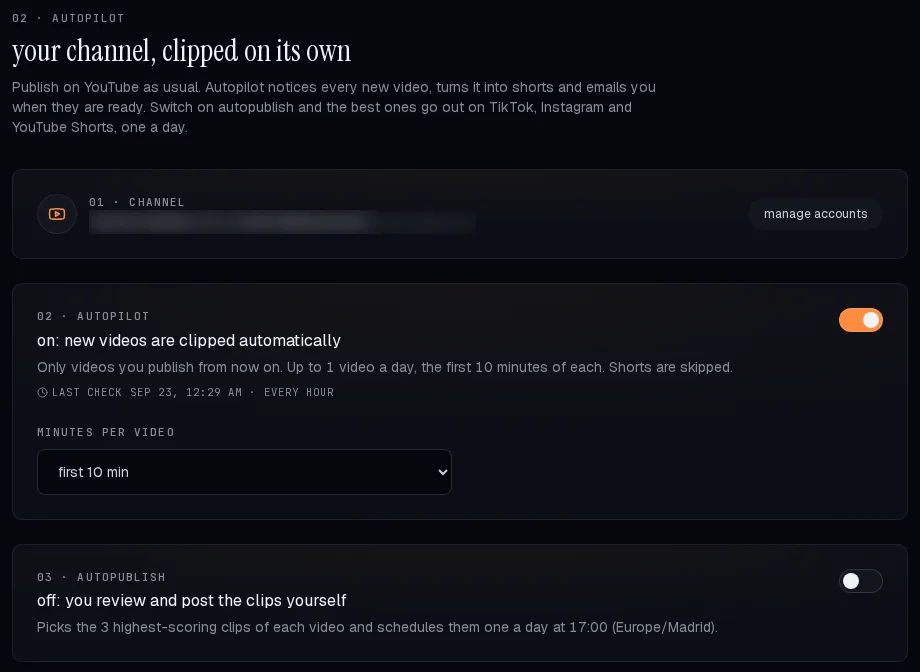
Link your YouTube channel once. From there Autopilot reads your uploads through the YouTube account you connected, so it also catches videos you post straight to YouTube, and runs them through the normal pipeline. The rules are intentionally cautious, since it spends your plan's minutes while you are not watching:
- Fresh uploads only. Flipping it on never touches your back catalogue: just videos published after that point, and only while they are 3 days old or newer.
- One auto video daily. Post three videos in a day and the extras wait for you. You can still cut up to 5 more a day by hand from that same tab.
- A per-video ceiling. Autopilot clips the first 10, 20, 30, 45, 60 or 90 minutes of each video (30 by default), so a three-hour stream cannot drain your plan.
- Shorts get skipped. Anything already a Short will not be clipped twice.
- You get an email once a video's clips are ready.
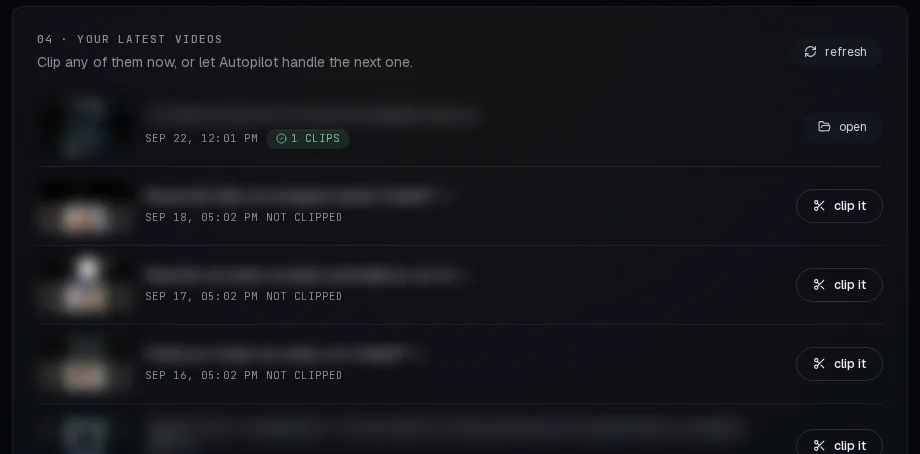
Autopublish: the standouts go out one a day
Switched off out of the box. Turn it on and, for each video, Autopilot grabs the 1 to 5 clips with the top predicted scores (3 by default) and schedules one per day at the hour you pick, in your own time zone, on the accounts you choose: TikTok, Instagram and YouTube Shorts. TikTok clips land as drafts in your TikTok inbox, so you open the app to post them. Keep autopublish off and you review and post each clip yourself.
What it costs
Autopilot draws from your plan's minutes, so it comes with the paid plans and not the free one. A 30-minute cap per video spends no more than 30 minutes of your allowance on that video.
| Plan | Price | Source footage each month | Autopilot |
|---|---|---|---|
| Free | $0 | 20 minutes, with a watermark | No (clip manually) |
| Starter | $12/month | 100 minutes | Yes |
| Creator | $29/month | 300 minutes | Yes |
| Pro | $59/month | 750 minutes | Yes |
Prices pulled from the Clipping AI billing API, checked 23 September 2026. Pay yearly and you pay ten times the monthly rate.
The free plan still bundles the clip generator itself: 20 minutes a month, with a watermark, cut by hand. You can also stitch the same automation together with the n8n workflow.
What it leaves out
- It keeps an eye on YouTube and Twitch. Twitch is read-only: Autopilot lists your past broadcasts, waits for a stream to finish, cuts the stretch your viewers clipped most rather than the opening minutes, and never posts back to Twitch. Podcasts, Kick VODs or local files must be pasted in or sent through the API.
- It cannot promise views. It chooses the moments the model rates highest; some weeks those will miss, which is exactly why autopublish stays off until you switch it on.
- It is fresh: Autopilot went live on 22 September 2026.
Questions, answered
- What is auto clipping?
- Software that scans a long video, finds the moments that work on their own and cuts them into short vertical clips with subtitles, instead of you scrubbing the timeline yourself. Clipping AI delivers 3 to 15 clips of 15 to 60 seconds per video.
- Can Clipping AI clip my new YouTube videos automatically?
- Yes. Autopilot checks your linked channel roughly once an hour and clips each new video by itself: only videos published after you flip it on, no more than one a day, up to the minute cap you set.
- Does Autopilot post the clips for me?
- Only once you enable autopublish. It then schedules the best 1 to 5 clips of each video at one a day on TikTok, Instagram and YouTube Shorts. TikTok clips show up as drafts you post from the app.
- Is automatic clipping free?
- Cutting a video you paste is free for 20 minutes a month. Autopilot, which runs hands-free, comes with the paid plans from $12/month.
- Will it clip my whole back catalogue and burn through my minutes?
- No. It only picks up videos published after you flip it on, at most 3 days old, one a day, and only the first 10 to 90 minutes of each.
- Can Autopilot clip my Twitch streams?
- Yes. Link Twitch in the Autopilot tab (read-only) and each new past broadcast is clipped once the stream ends, under the same rules. Rather than the opening minutes, it cuts the stretch your viewers clipped most, since the start of a stream is usually a "starting soon" screen.
Our sources
- Autopilot rules:
cloud/autopilot.pyon the Clipping AI backend, checked 23 September 2026. - Usage numbers: the Clipping AI Cloud billing ledger, all accounts combined, 24 August to 23 September 2026.